How to Cancel Your Subscription
BedrockConnect Premium is managed through the App Store (iPhone/iPad) or Google Play (Android). To cancel, you need to do it there — not in the BedrockConnect app itself.
- iPhone / iPad
- Android
Steps
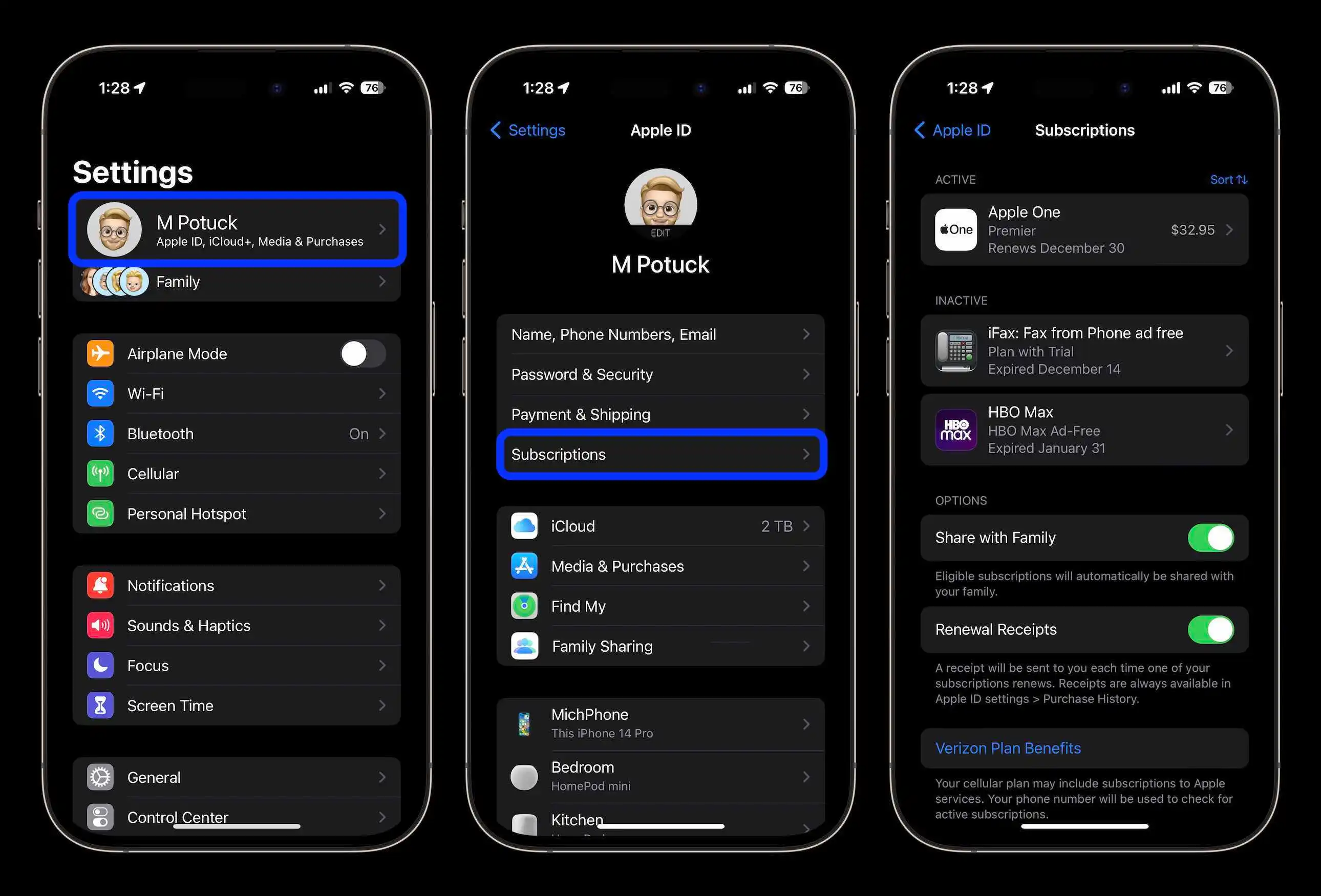
- Open Settings on your iPhone
- Tap your name at the very top (your Apple ID)
- Tap Subscriptions
- Find BedrockConnect in the list and tap it
- Tap Cancel Subscription
Can't find it?
If BedrockConnect doesn't show up under Subscriptions, you might have subscribed with a different Apple ID. Make sure you're signed in with the same account you used to purchase Premium.
Steps
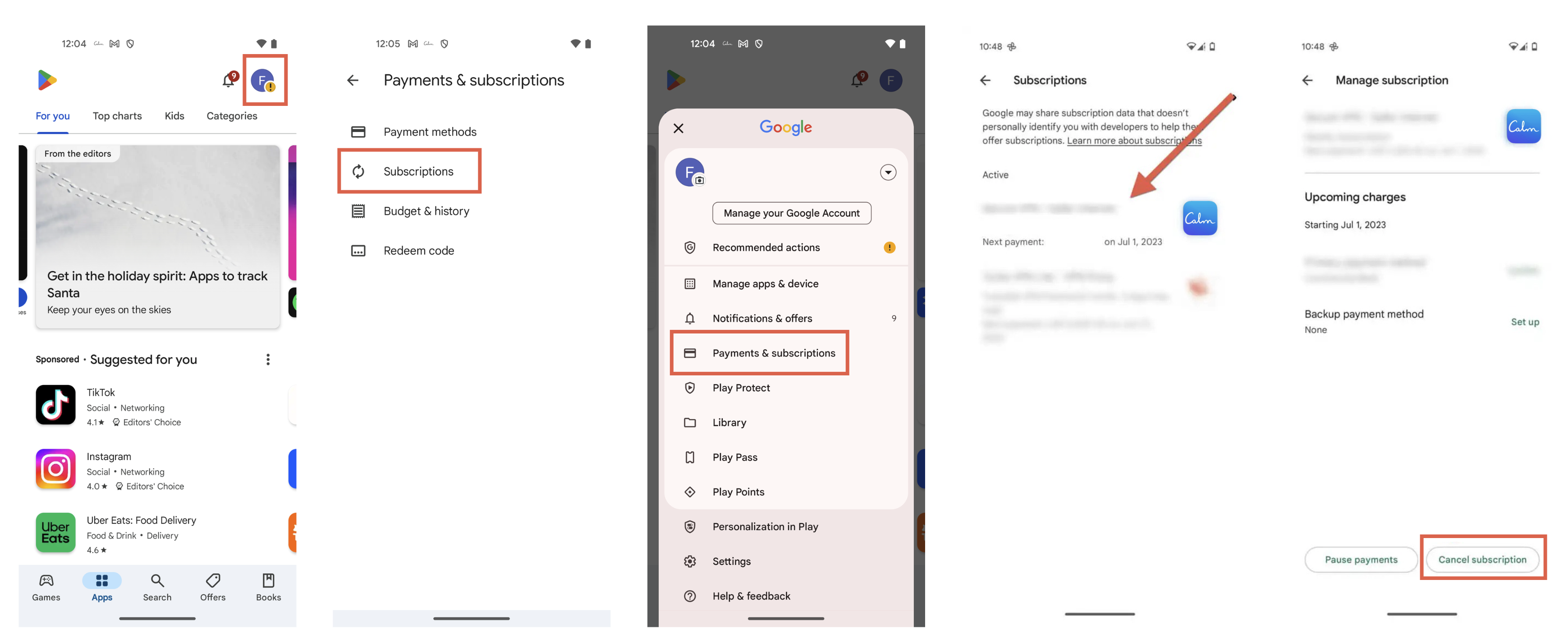
- Open the Google Play Store app
- Tap your profile picture in the top right
- Tap Payments & subscriptions
- Tap Subscriptions
- Find BedrockConnect and tap it
- Tap Cancel subscription
Can't find it?
If BedrockConnect doesn't show up, make sure you're signed in with the same Google account you used to subscribe.
Good to know
- After cancelling, your Premium features stay active until the end of the current billing period
- You can resubscribe at any time through the BedrockConnect app
- If you were charged by mistake, contact Apple Support or Google Play Support for a refund — BedrockConnect cannot process refunds directly